Keep work moving.
ProjeXtream keeps the operational thread intact from the project level streaming through job execution, daily production, and billing that follows.
Follow the stream instead of fighting it.
ProjeXtream is live & evolving around a simple idea: information created upstream should still be useful downstream. The project establishes the context. Jobs carry the work. Dailies capture production. Billing uses what's approved.
See the project before you chase the work.
Project Details brings status, ownership, dates, job counts, timeline, performance, and project-level visibility together in one place.

Drill into the job without losing context.
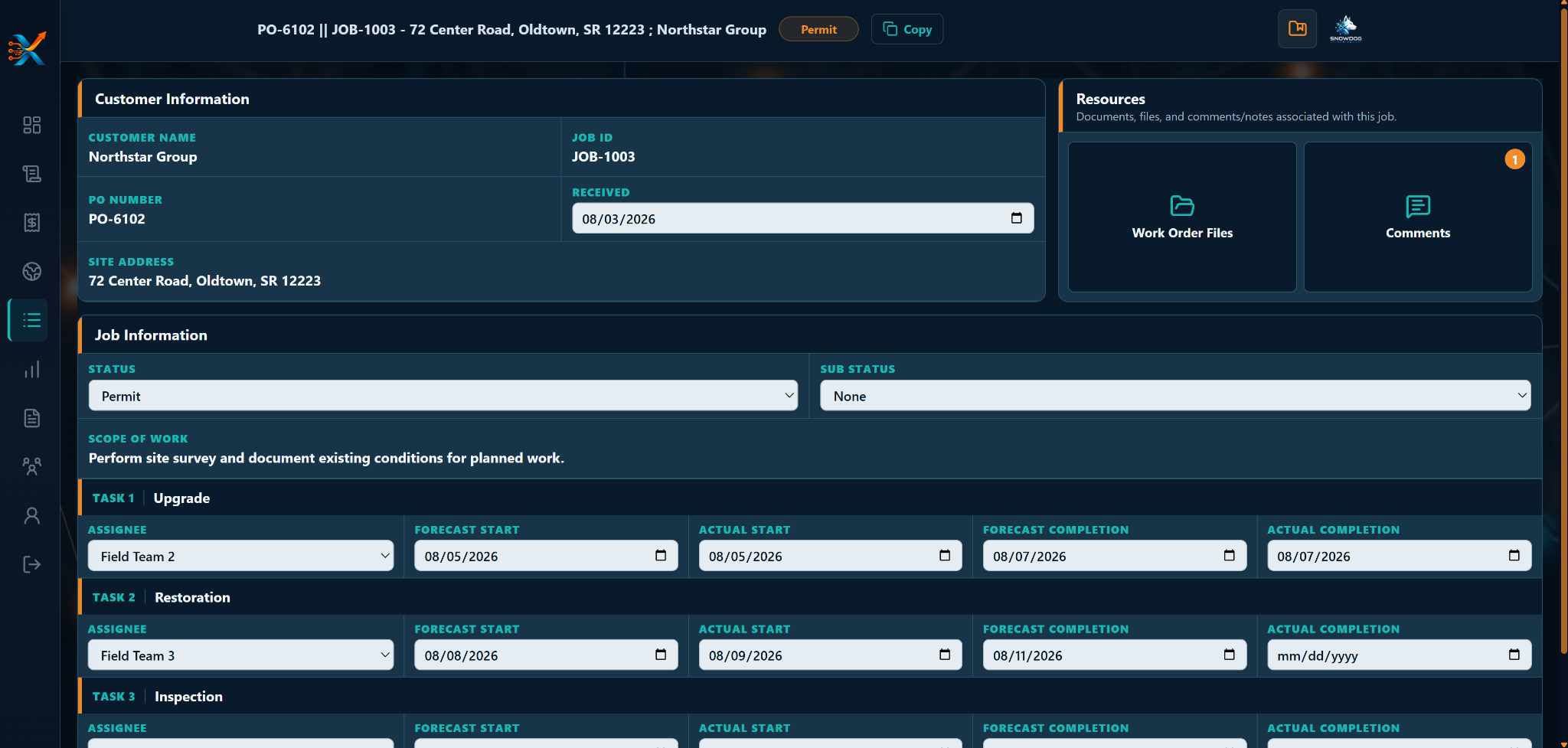
Job Details keeps customer information, job status, resources, scope, task assignments, forecast & actual dates together where the work is managed.
Customer and job information in one working view.
Resources and comments stay tied to the job.
Task ownership and schedule data live beside execution.

Capture the day where the work happens.
A Daily connects the crew, hours, job, production code, and completed quantity to the work itself — then moves that information forward instead of leaving it trapped in a field report.
Capture who worked and how the day was distributed.
Record quantities against the PX job codes that drive the work.
Keep work in progress flexible without losing the submission workflow.
Approved production should not have to be keyed twice.
The Project Billing Pool brings approved production, contract codes, allocations, balances, values, and invoice quantities into the same billing workflow.
From approved work to invoice-ready quantities.
See approved, allocated, and remaining quantities.
Work directly against contract codes and rates.
Catch unmapped production before it enters the billing pool.

One operational thread.
ProjeXtream is not trying to make project work simple by pretending the work is simple. It is trying to keep the relationships between that work intact.
The job does not become an island once execution begins.
What gets entered in the field can support what happens next.
Billing and future workflows can build from the same operational model.
Does this look like the way your operation should work?
ProjeXtream is actively being developed. If this workflow looks relevant to your team, start the conversation.